storage_set_get
contracts/basic-storage/fuzz/fuzz_targets/storage_set_get.rsRun `make sync-tests` and reload for live cargo test rows.
- Makefile
make fuzz- CLI
cargo fuzz run storage_set_get -- -runs=1000
Soroban POC
cargo test, proptest, cargo fuzz, and cargo llvm-cov for basic-storage, plus vitest for wallet / WalletConnect. make test-all-contract and make test-all are the same target (all contract-side test types, no JSON). Run make sync-tests to run that plus refresh this page’s JSON.
Demo testnet id from export snapshot.
Passed (cargo test)
63
Failed
0
Captured
Jan 1, 1970, 12:00 AM
Run from the repository root
Executes every contract-side test type, then updates the JSON this page reads. Run this before demos or after changing Rust tests.
Full gate + this page
make sync-tests
All test types only (alias: make test-all)
make test-all-contract
make sync-tests runs make test-all-contract first (full cargo test + optional libFuzzer), then writes frontend/public/test-results.json. make test-all is the same Makefile recipe as make test-all-contract. Reload this page after make sync-tests.
The contract is validated several different ways. Counts on badges reflect how many cargo test cases fall in each bucket (libFuzzer runs outside cargo test). Each card links to a shareable URL under /tests/… that scrolls to that section.
cargo test --libIsolated Soroban Env per test.
/tests/unitcargo test --test …Separate integration binary.
/tests/integrationcargo testMany fixed cases in one test.
/tests/propertyproptestRandomized inputs with shrinking.
/tests/proptestproptestLast-write wins per slot; cross-slot writes must not clobber other keys.
/tests/invariantcargo fuzzByte stream fuzzing (separate harness).
/tests/libfuzzercargo llvm-covLine/function reports.
/tests/coveragevitest runStellar Wallets Kit catalog + WalletConnect env/QR config (no live wallet connections).
/tests/mobilewalletcontracts/basic-storage/fuzz/fuzz_targets/storage_set_get.rsRun `make sync-tests` and reload for live cargo test rows.
make fuzzcargo fuzz run storage_set_get -- -runs=1000These cases are a subset of the library suite: randomized sequences with a predicate that must always hold (last-write visibility or cross-slot isolation). They also appear in the full tables below.
No invariant rows in the loaded JSON yet. Run make sync-tests after pulling the latest contract tests.
contracts/basic-storage/src/test.rsExport test results to populate each row.
No per-test rows in JSON (older export). Run make sync-tests to regenerate with schemaVersion 2.
contracts/basic-storage/tests/integration_contract.rsMulti-step flows.
No per-test rows in JSON (older export). Run make sync-tests to regenerate with schemaVersion 2.
frontend/lib/wallet-kit-config.test.tsWalletConnect + all default SWK wallets (run `make test-frontend` or `make sync-tests`).
No per-test rows in JSON (older export). Run make sync-tests to regenerate with schemaVersion 2.
Manual QA · /tests/mobilewallet
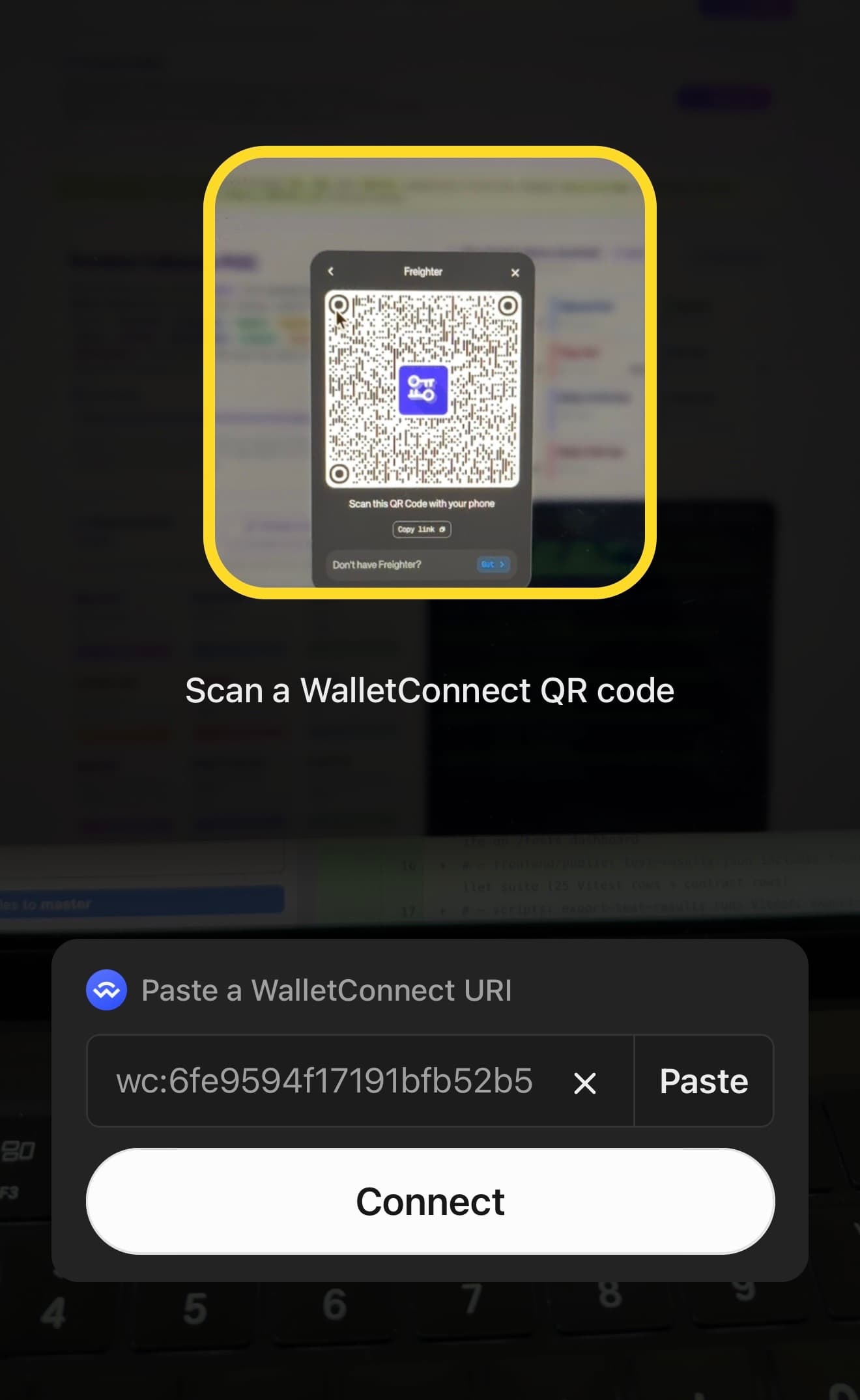
We verified mobile WalletConnect sessions to this POC: WalletConnect QR on soroban-fullstack-poc.vercel.app → Freighter and LOBSTR on a phone (Freighter first below). Scan with each wallet's in-app WalletConnect flow (not the iPhone Camera — that often opens MetaMask). Repo log: docs/WalletConnect-Mobile-Success-Log.md.
Mobile WalletConnect
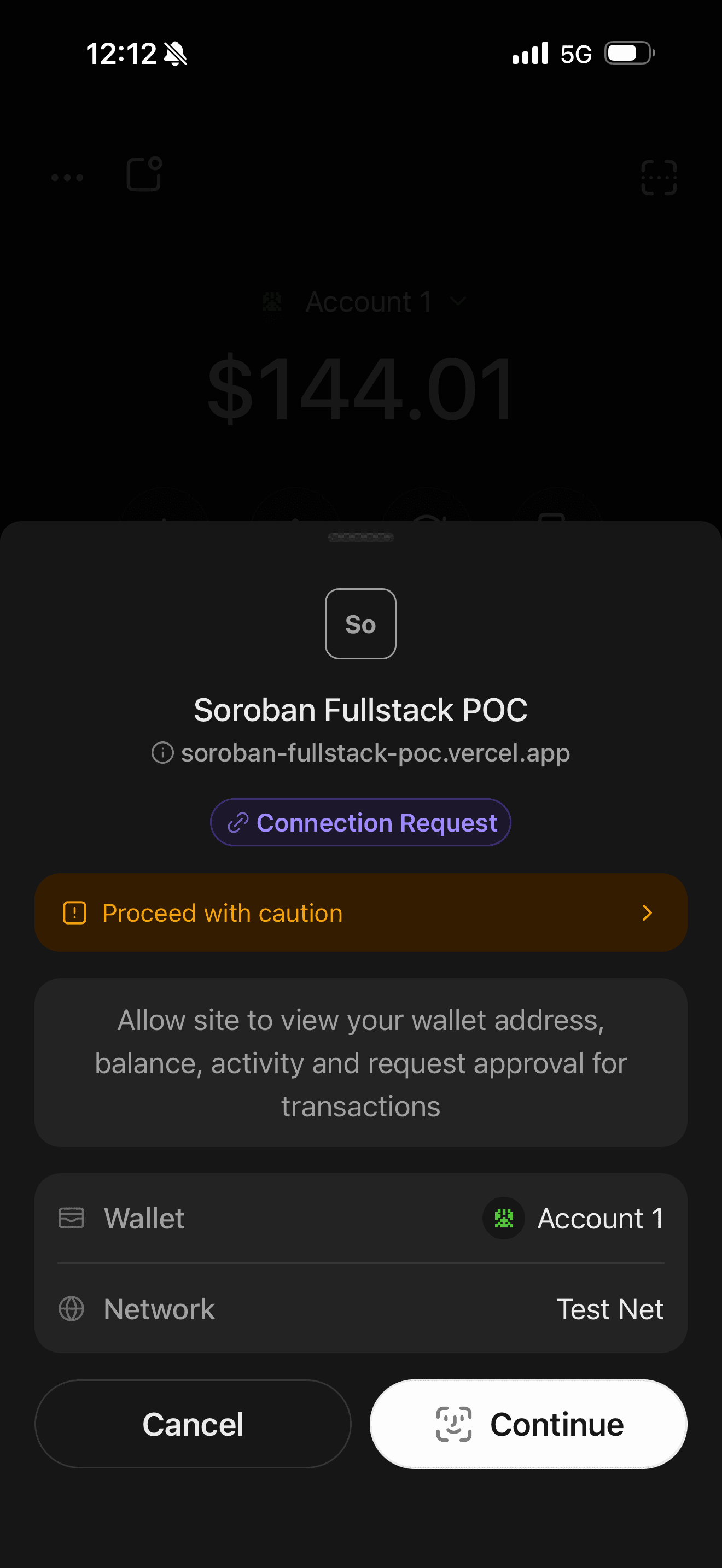
WalletConnect on testnet — scan QR in the Freighter app, then sign Soroban writes.
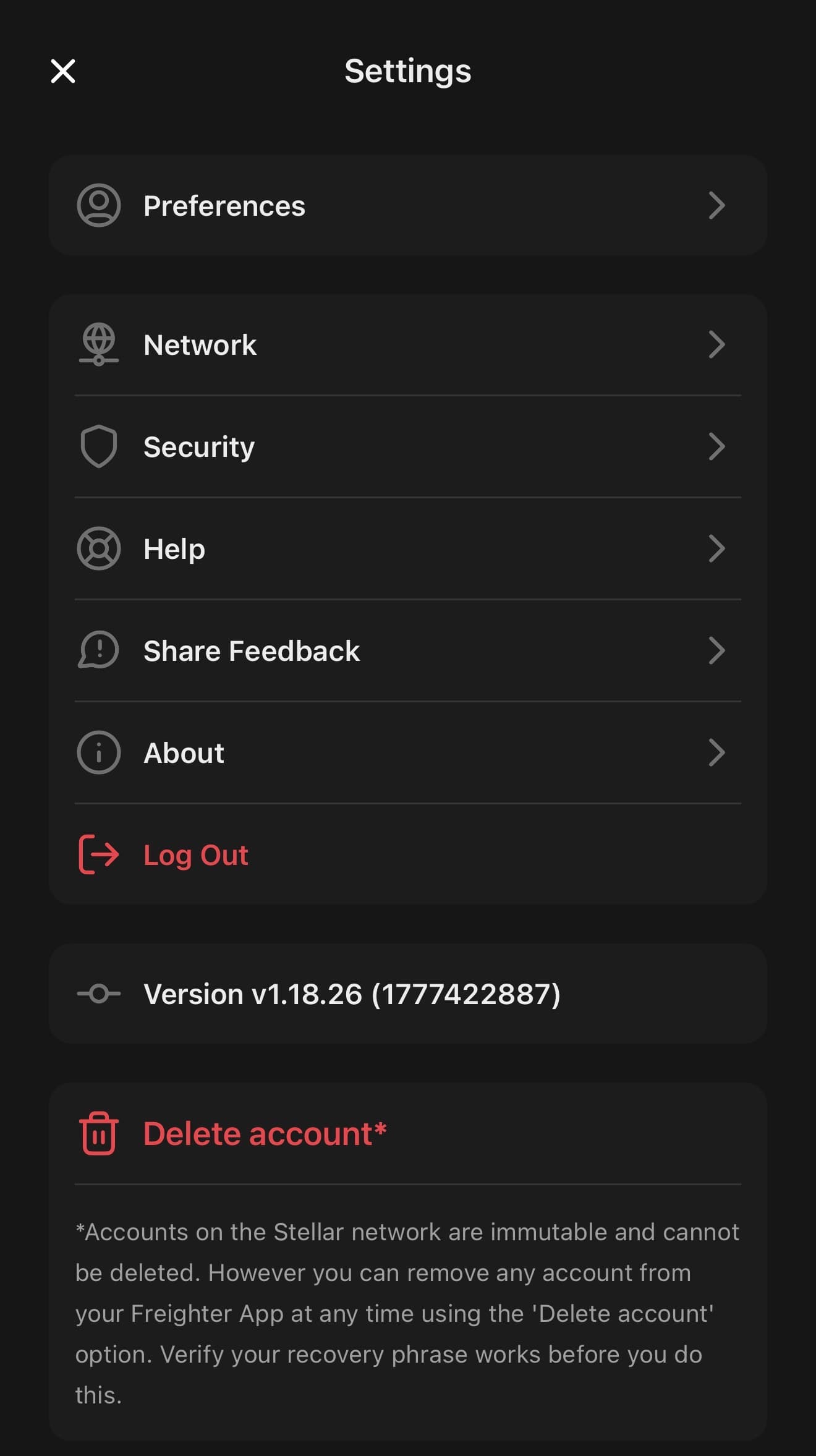
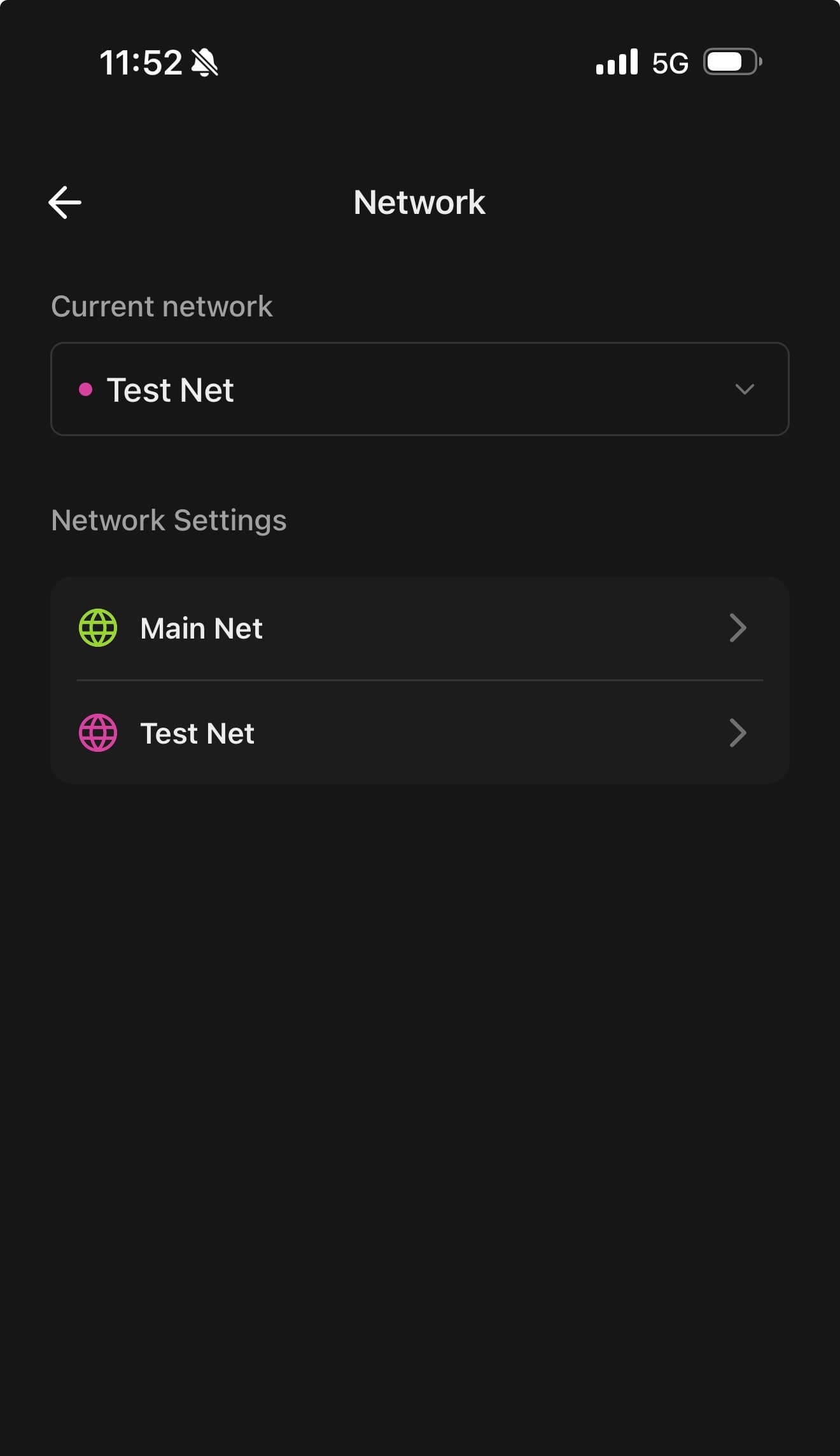
Order: Freighter Settings → Network → Test Net (see steps 1–2 below), then WalletConnect scan in Freighter (not the iPhone Camera). Writes use testnet account GBOE2WOJ…YNRI.
View account on Stellar Expert (testnet)
withmobilewallet.PNG&w=3840&q=75)
set() on testnet.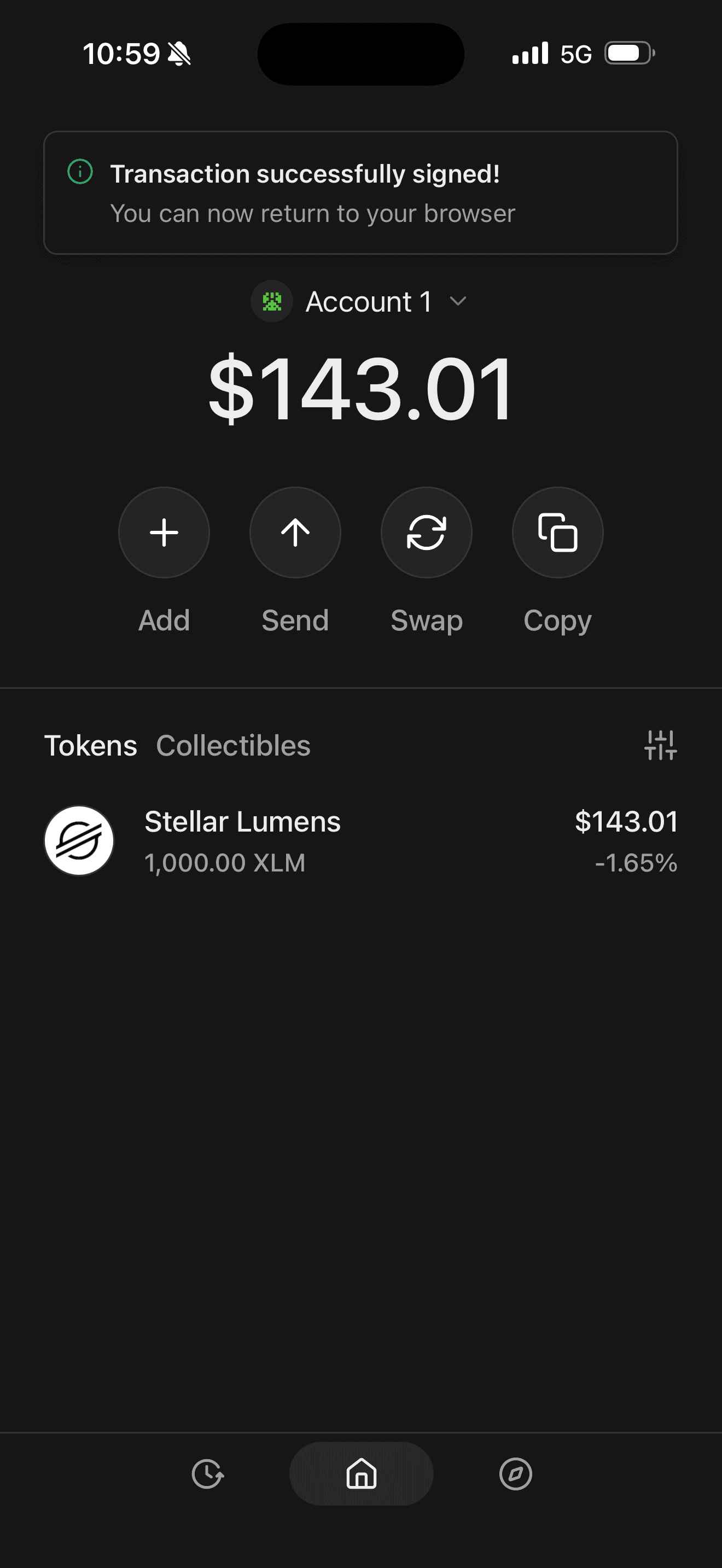
ontheblockexploreryoucanseethistranasctioncontractinteraction.png&w=3840&q=75)
GBOE…YNRI invoked set on contract CBGX…6O2R (e.g. set(0 u32), set(42 u32)). Click a row for the tx URL.Freighter account GBOE2WOJGWZATO2PXEBF7R74T5QOE7XFGNL55I4AIWEESWNC347YYNRI: use Test Net in Freighter before connecting. On Stellar Expert (testnet), filter by contract, click the invoke row, copy https://stellar.expert/explorer/testnet/tx/<hash>.
set(42 u32) — Stellar Expert tx (2026-05-20 15:00:38 UTC)set(0 u32) — Stellar Expert tx (2026-05-20 15:00:03 UTC)Mobile WalletConnect
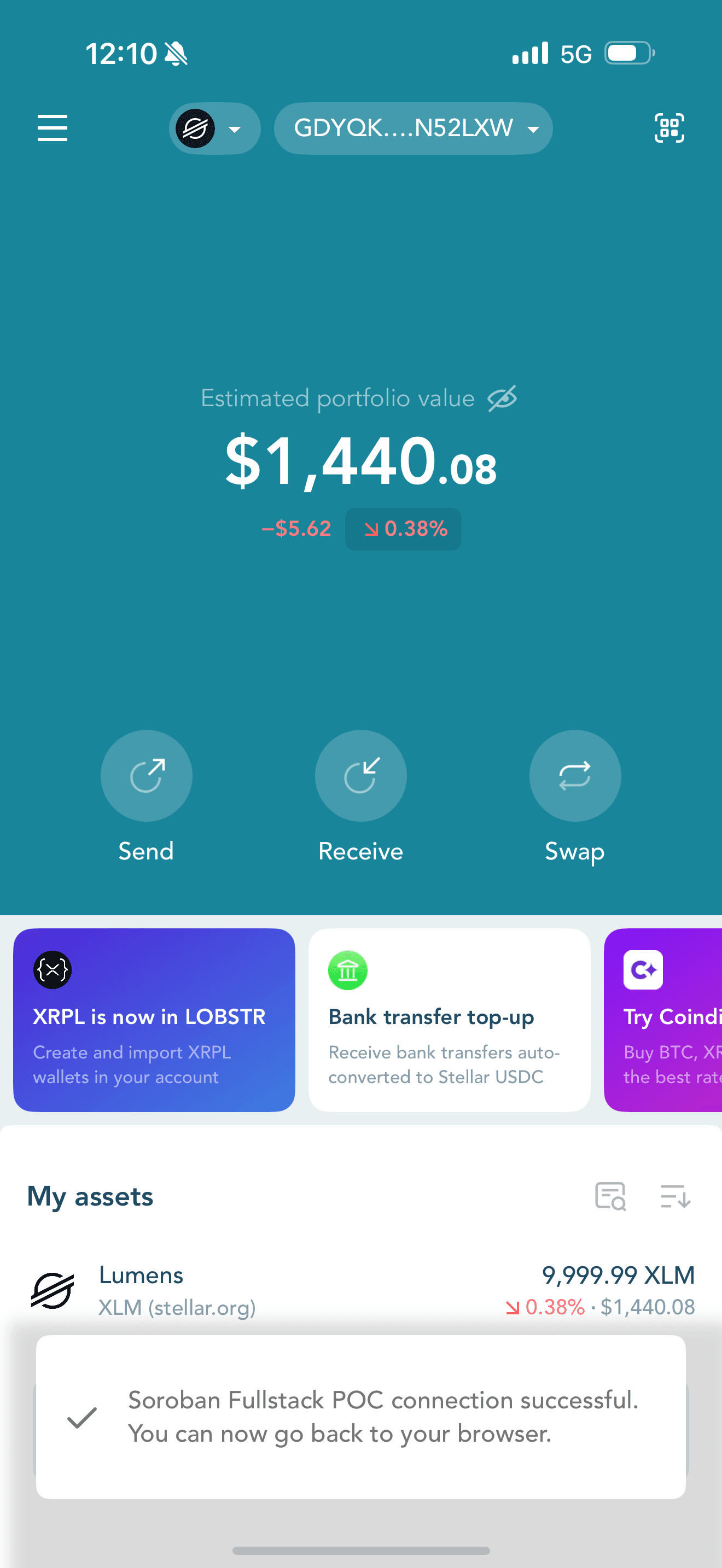
WalletConnect on testnet — Profile → Testnet, then Settings → WalletConnect to scan the desktop QR.
Order: LOBSTR Settings → Profile → Network → Testnet (see steps 1–2 below; Friendbot-fund your G… on testnet), then Settings → WalletConnect to scan the desktop QR — not the iPhone Camera.
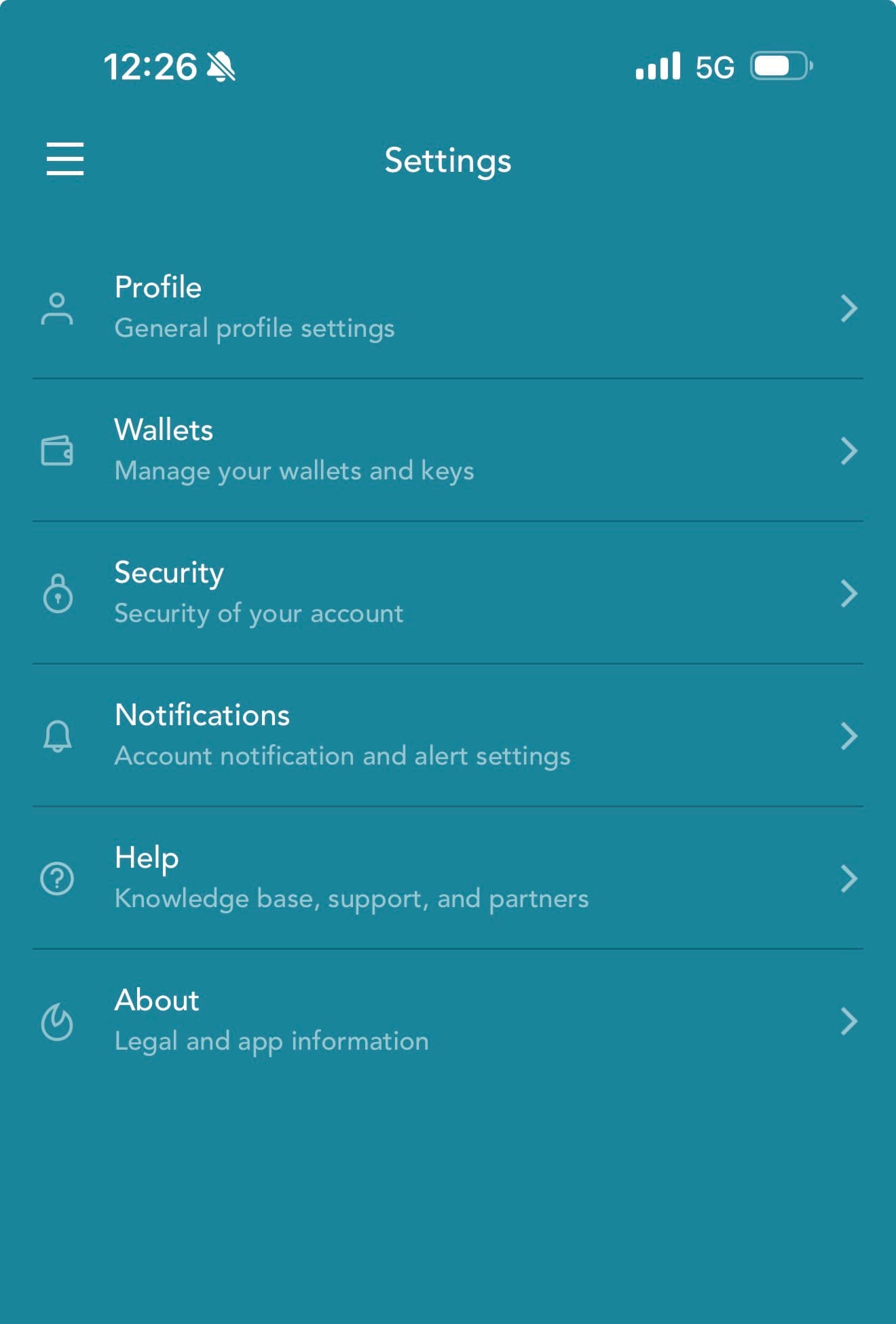
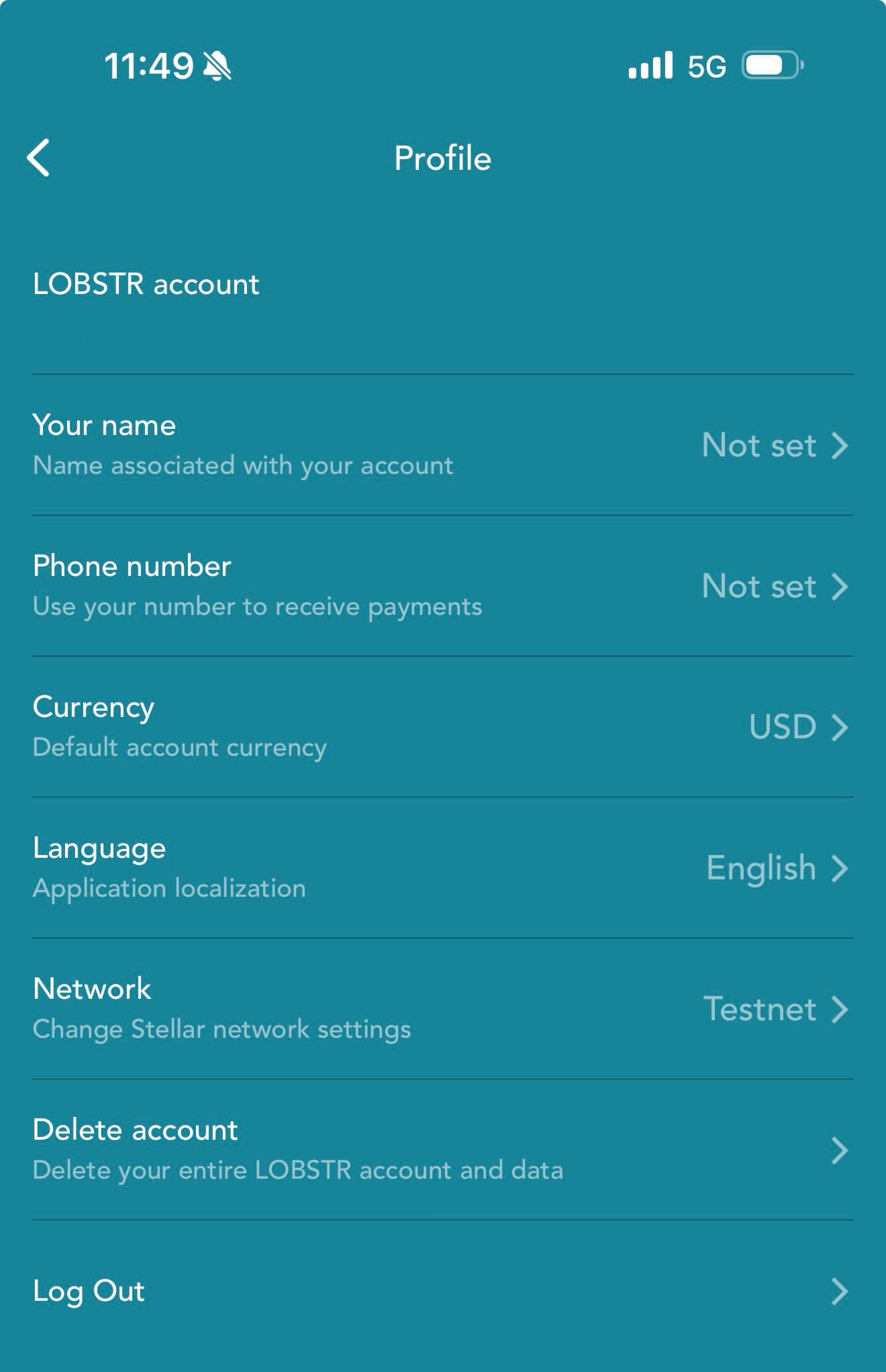
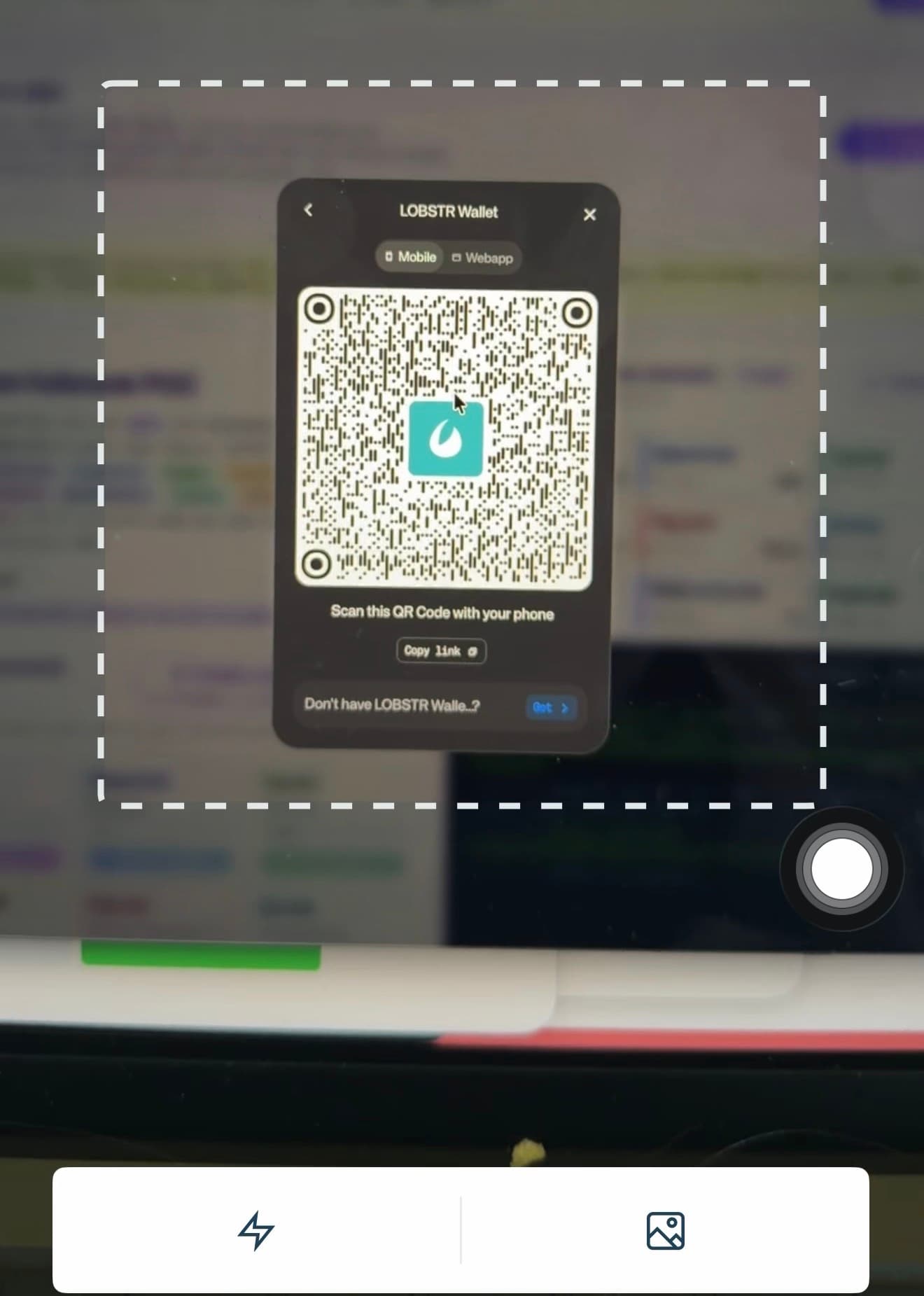
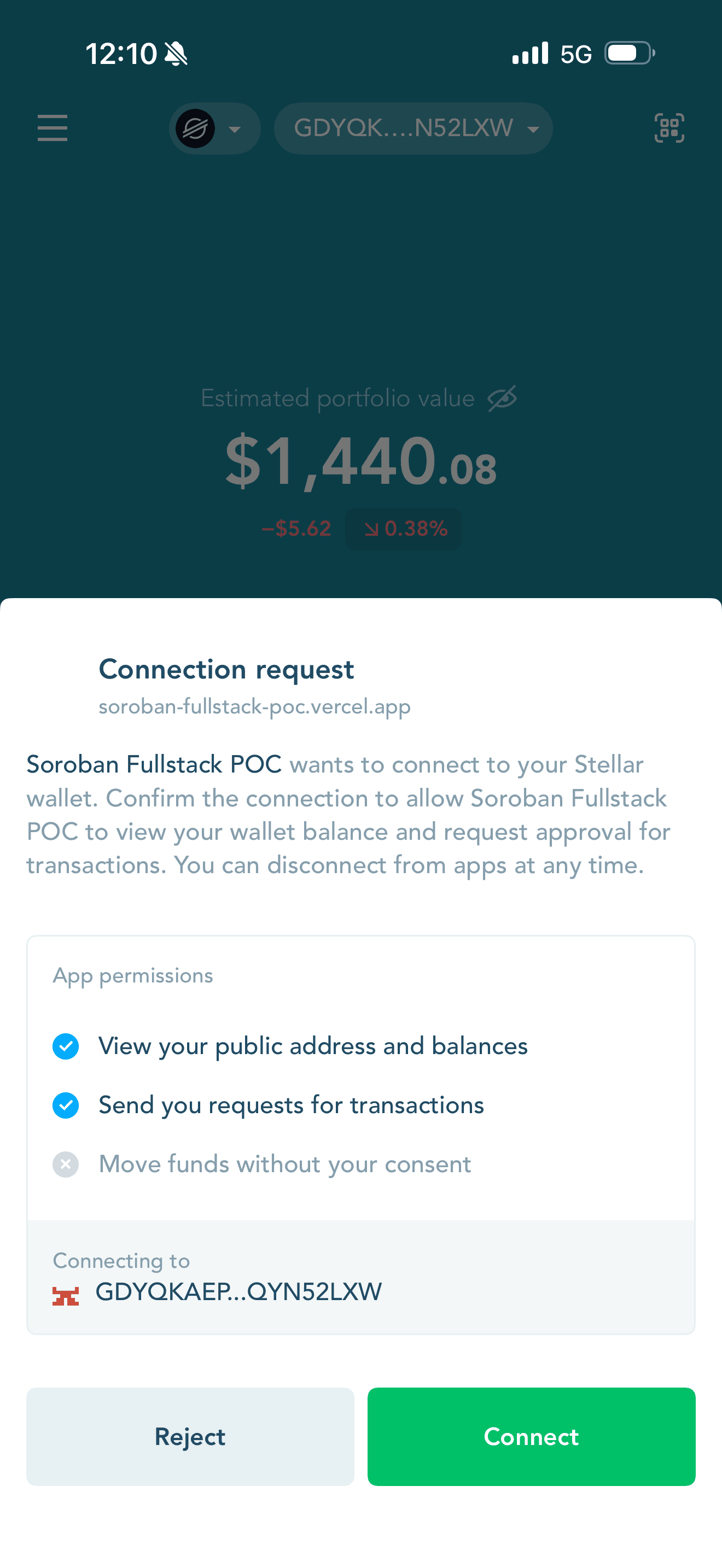
soroban-fullstack-poc.vercel.app).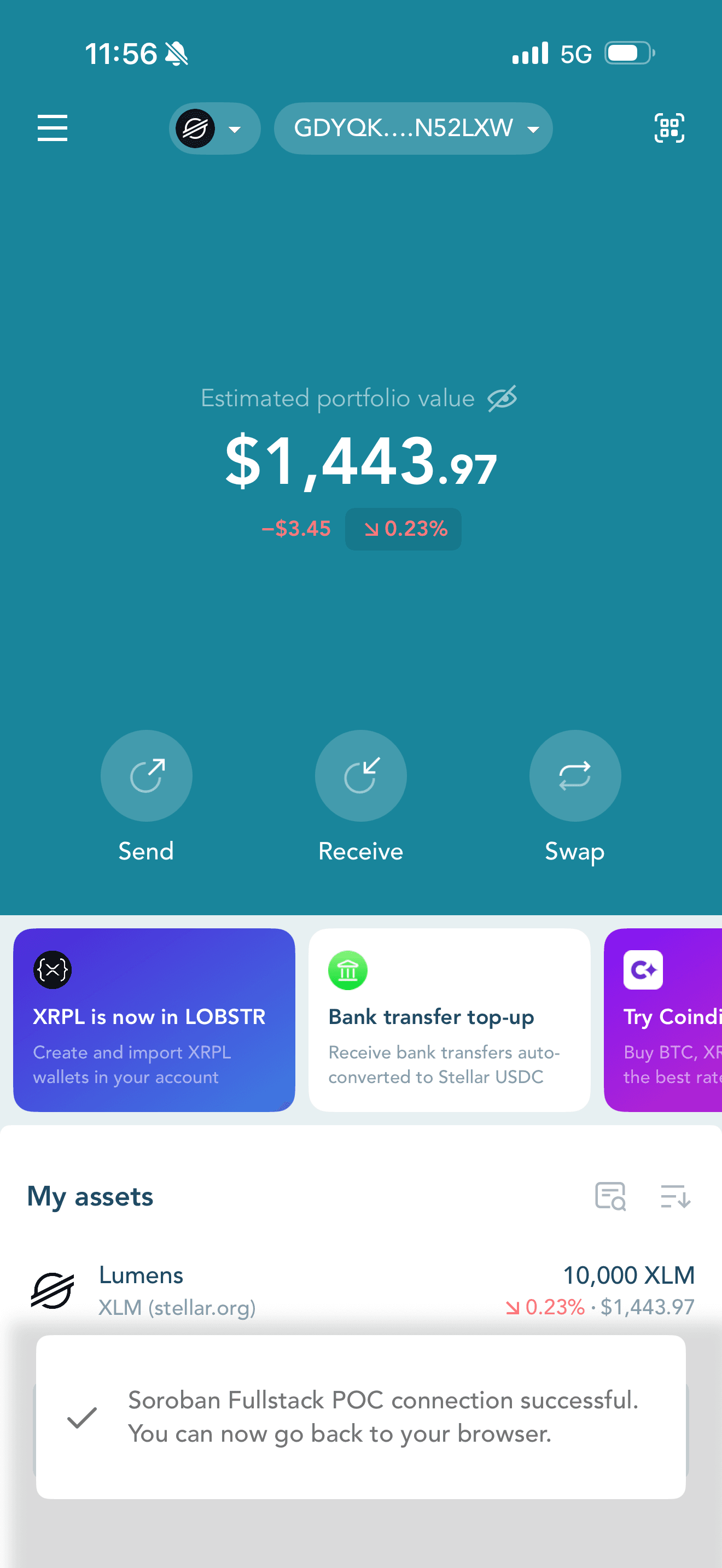

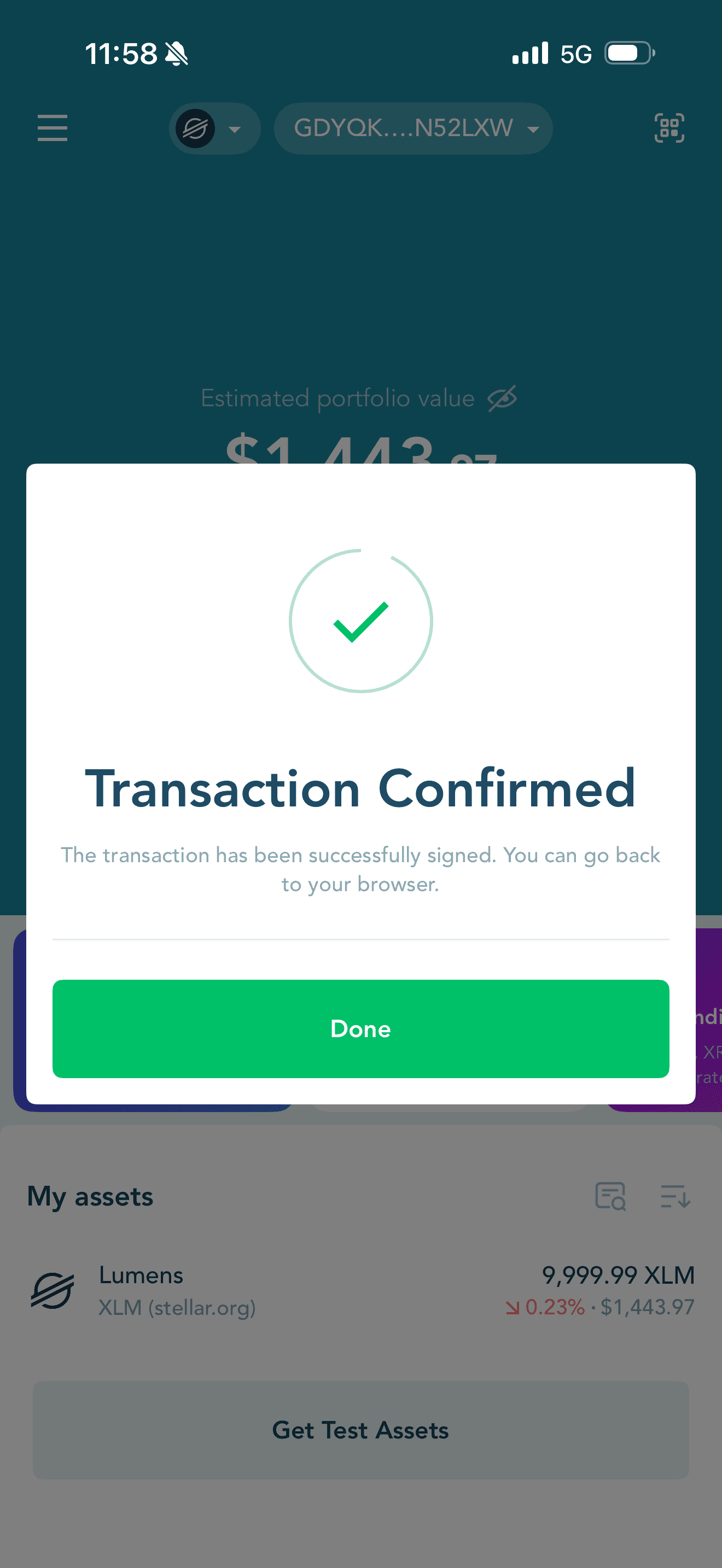
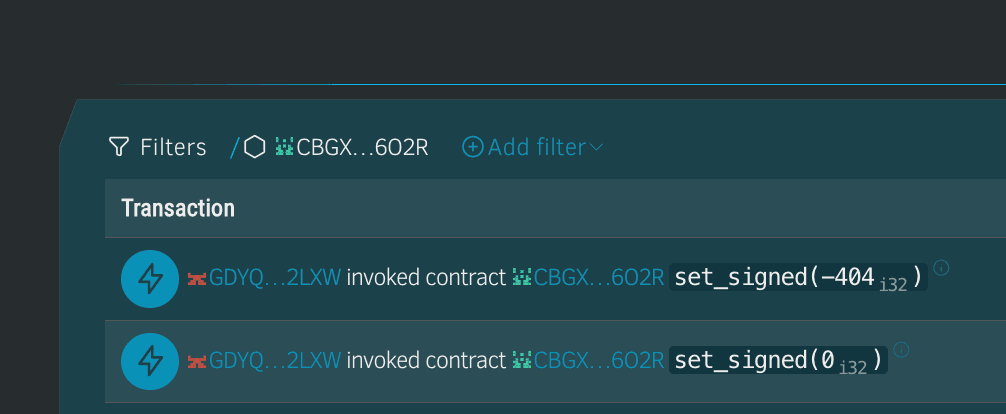
GDYQ…2LXW invoked set_signed on contract CBGX…6O2R (e.g. set_signed(0 i32), set_signed(-404 i32)). Click a row for the tx URL.LOBSTR account GDYQKAEPG3RUUQOEDRARAXSGP6BQASATLOZHQTDARQ2YX4J6QYN52LXW: enable testnet and fund via Friendbot before writes.
set_signed(-404 i32) — Stellar Expert tx (2026-05-20 15:58:43 UTC)set_signed(0 i32) — Stellar Expert tx (2026-05-20 15:58:23 UTC)Vitest wallet rows above are automated config checks; this section is live QR pairing on testnet. More detail in docs/WalletConnect-Mobile-Success-Log.md or /docs (troubleshooting).
From repo root, or from frontend/:
make sync-tests
make test-all-contract
make test-all
Runs make test-all-contract first (full cargo test + optional libFuzzer), then writes test-results.json from the teed log — no second cargo test. Same target as make export-test-results. To export only (runs cargo test inside the script), run node scripts/export-test-results.mjs without the log env vars.
cd frontend && npm run export-test-results
make coverage
make fuzz
Coverage updates coverage-summary.json (needs cargo-llvm-cov). Fuzz is a separate harness.
Reload after exports. Standard gate: make ci. With coverage: make ci-coverage.